

When someone in your local community needs a late-night prescription service, a winter flu vaccination or advice on a minor ailment, what is the first thing they do?
They Google it.
Whether they search for «pharmacy near me» or «chemist open Sunday in [Your city]», Google’s local map pack is what guides them to your front door. While location matters, Google reviews are the ultimate social proof that turn searchers into patient footfall.
However, running an Irish community pharmacy isn’t like running a standard retail shop. You operate a trusted clinical space, meaning you need to collect feedback ethically, professionally and effectively.
Here is how you can boost your pharmacy’s Google reviews while maintaining your professional standards.
1. Optimise your Google Business profile first
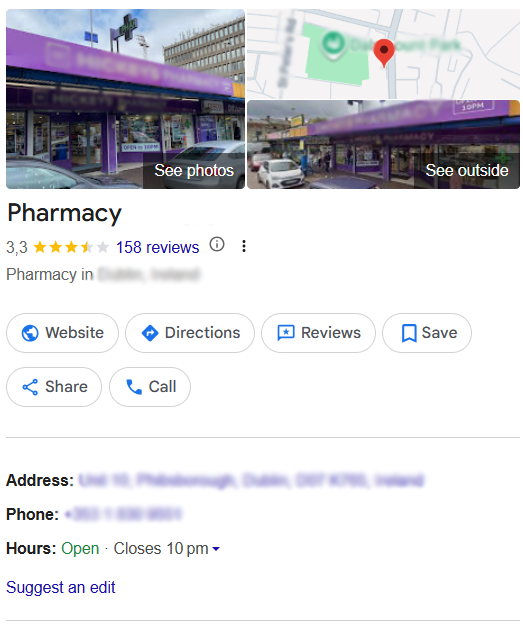
Before we look at reviews, let’s look at where those reviews actually live: your Google Business Profile (GBP).
If you aren’t sure what this is, it is the free local listing that appears on the right side of the screen during a desktop search, or at the top of the page on mobile and Google Maps. Think of it as your modern, digital yellow pages listing, complete with your map location, photos, contact info and patient reviews.
Setting up your profile is just step one. To actually stand out and rank well in your local area, your profile needs ongoing care and attention. If you ask anyone who has managed this recently, they will tell you it takes real effort to get it right.
Think of your Google Business Profile as your digital storefront. Just like you wouldn’t leave your shop window messy or your opening hours incorrect on the front door, your digital listing needs to be immaculate.
- Keep hours accurate: Ensure your opening hours, especially bank holiday hours, are perfectly updated. Nothing triggers a 1-star review faster than a patient driving to your pharmacy only to find the shutters down.
- Make your phone number clickable: Ensure your direct shop landline is correct and formatted properly. Most people looking for a pharmacy on Google are on their mobile phones; you want them to be able to call your pharmacy with a single tap.
- Link to your online services: Don’t just link to your homepage. If you have specific landing pages where patients can book a flu vaccine appointment, order a repeat prescription or browse your online store, add those direct links to the «Appointments» or «Menu» sections of your profile.
- Upload high-quality photos: Don’t just rely on Google Street View. Regularly upload photos of the inside of your pharmacy, your clean retail space, your private consultation room and your storefront. This builds immediate trust before a patient even visits.
- Showcase your team: People buy from people. Upload a friendly photo of your pharmacy team or your Superintendent Pharmacist. It humanises your business and makes the local community feel connected to you.
- List your services: Explicitly list clinical services like blood pressure monitoring, emergency contraception, blister packing and travel vaccinations. If it’s not listed on your profile, as far as Google is concerned, you don’t do it.
2. Master the «In-the-moment» verbal ask
The most effective way to get a review is simply to ask, but timing is everything. In a pharmacy environment, privacy and empathy come first.
- When NOT to ask: Never ask a patient for a review if they are picking up sensitive medication, dealing with a stressful health diagnosis or if the shop floor is packed and stressful.
- When TO ask: Look for moments of high satisfaction. Did you go out of your way to source an out-of-stock medication? Did your technician spend 15 minutes helping a mother find the right infant care product?
The script: «Thanks so much for your kind words, Mary! We’re a small local team, so if you have a spare 30 seconds, leaving us a quick review on Google really helps other people in the area find us.»
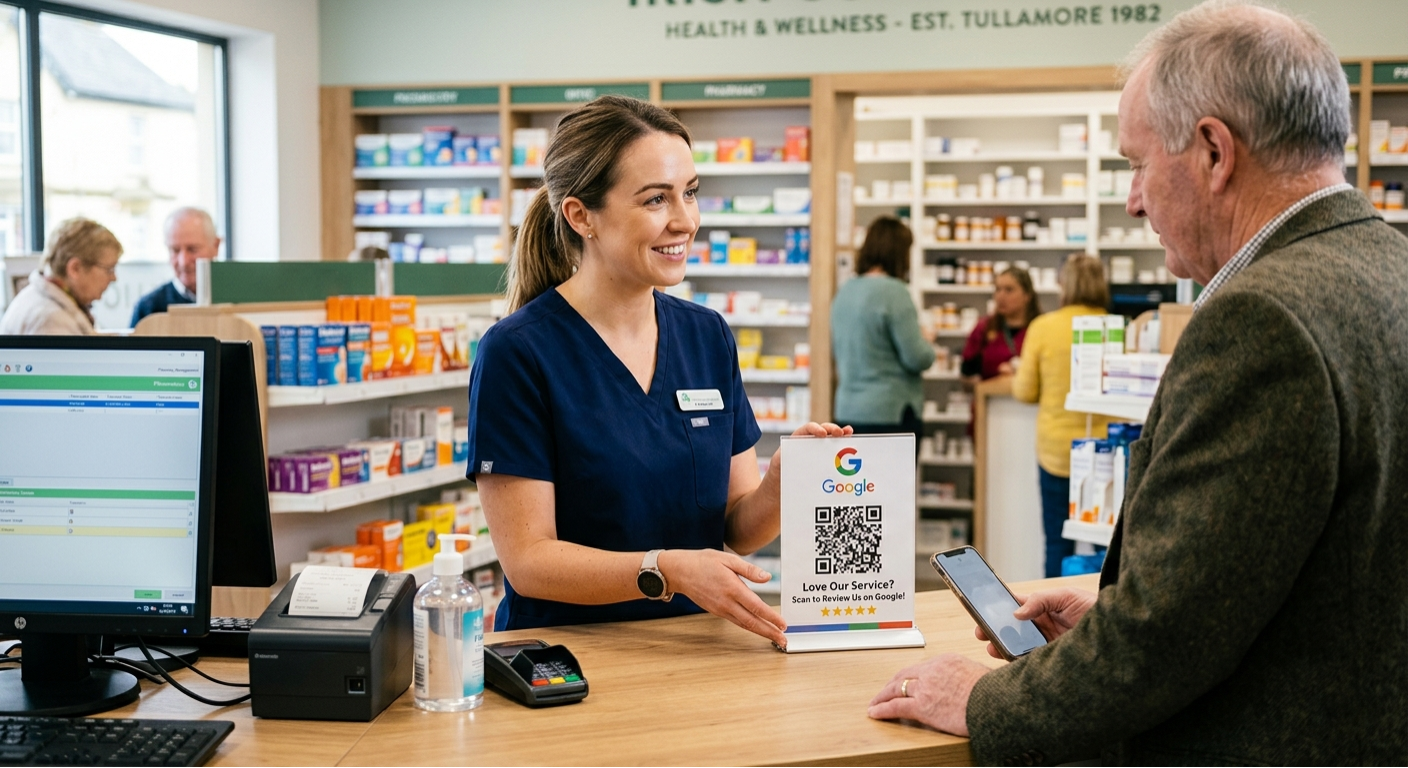
3. Use QR codes at the counter
People want to be helpful, but they are also busy. If they have to open Google, search your pharmacy name and hunt for the review button, they’ll give up.
Make it seamless by generating a Direct Google Review Link (you can find this in your Google Business Profile dashboard under «Ask for reviews»).
- Turn this link into a clean QR code using a free generator.
- Place a small, professional counter-stand at the retail till or the prescription collection hatch.
- The message: «Happy with our service today? Scan here to let the team know!»
4. Connect convenience to five-star feedback
The easiest way to get an influx of positive reviews is to exceed patient expectations on convenience. In today’s digital landscape, accessibility means being present exactly where your local patients are already browsing.
Through the LUDA Partners integration, Irish community pharmacies can sell on major quick-commerce delivery apps like Just Eat, Uber Eats and Deliveroo through a single integration. LUDA handles your entire catalogue setup, automated stock updates and continuous optimisation.
This means your seasonal ranges and wellness essentials are always visible to local customers browsing delivery apps, without your pharmacy team having to manage three separate platforms.
How this drives Google reviews:
When an elderly patient gets their winter wellness essentials delivered in under an hour or a busy parent gets rehydration sachets dropped to their door without leaving a sick child, their satisfaction is at an all-time high.
By sending a quick, friendly follow-up text or including a QR code flyer inside their delivery bag, you can easily convert that instant convenience into a glowing 5-star Google review.
⚠️ The golden rules for Irish pharmacies
Because you are regulated and must adhere to strict healthcare boundaries set out by the Pharmaceutical Society of Ireland (PSI), there are a few rules you must follow when gathering digital reviews:
🚫 Never incentivise reviews
Do not offer discounts, free OTC products, entry into a raffle or loyalty points in exchange for a Google review. Google’s own terms of service forbid this and it compromises your clinical integrity. Reviews must be entirely organic and voluntary.
🔒 Protect patient confidentiality (GDPR)
When replying to reviews, never acknowledge specific clinical or medical details. Even if a patient writes a detailed review saying, «The pharmacist was amazing at helping me manage my diabetes medication,» your reply must remain generic.
Good reply: «Thank you for the kind words! We are always happy to help our local community with their health and wellness needs.»
💬 Always respond to negative feedback professionally
You will eventually get a 1-star review, perhaps over parking, a long wait time during peak hours or a national medication shortage out of your control.
- Never get defensive.
- Acknowledge the frustration professionally and take the conversation offline.
Example: «Hello, we take patient care very seriously and apologise that your experience didn’t meet our usual standards. Please feel free to call our Superintendent Pharmacist directly at [Phone number] so we can address your concerns.»
Conclusion
A steady stream of positive Google reviews builds trust before a patient ever walks through your door. By pairing modern convenience tools like LUDA Partners with a proactive team strategy, you can steadily grow your digital presence while remaining the trusted heart of your local community.